Small Images
The featuretest image (qnib/ftest) is a tiny image that prints which CPU
microarchitecture it was built for. It's the easiest way to see MetaHub pick
the best-suited image for you: pull the same tag and you get a different image
depending on the profile you logged in with.
The profile comes from your login
MetaHub reads the profile from the credential you log in with. The username
carries the profile selector — for example meta/cpu#zen2 asks for the zen2
microarchitecture:
$ docker login -u 'meta/cpu#zen2' -p hub metahub-registry.org
Login Succeeded

$ docker run --pull=always --platform=linux/amd64 -ti --rm \
    metahub-registry.org/qnib/ftest:latest
latest: Pulling from qnib/ftest
Digest: sha256:efdbcb14a0ea770a1b797d2c6aa3d5e753ddc25cf3b8bfddf45e1a3bd6f4cc8b
Status: Downloaded newer image for metahub-registry.org/qnib/ftest:latest
>> This container is optimized for the microarchitecture 'zen2'
The same :latest tag, pulled with a different login, returns a different
Digest and a different optimised binary.
MetaHub filters the manifest list
The trick is that MetaHub rewrites the manifest list (the OCI image index) based on your profile, then Docker's normal platform matching does the rest.
No profile — the index contains the full multi-arch set (arm64 + amd64):
$ manifest-tool inspect metahub-registry.org/qnib/ftest:latest
Digest: sha256:0a246bae83a800a774d051131334f842f8b72af2ccfe204b21afa4b3de9164ee
 * Contains 2 manifest references (2 images, 0 attestation):
[1] Platform:  OS: linux  Arch: arm64
[2] Platform:  OS: linux  Arch: amd64
With cpu#zen2 — the index is filtered to the single zen2-optimised
manifest, so the same tag now resolves to a different image index digest:
$ docker login -u 'meta/cpu#zen2' -p hub metahub-registry.org
$ manifest-tool inspect metahub-registry.org/qnib/ftest:latest
Digest: sha256:efdbcb14a0ea770a1b797d2c6aa3d5e753ddc25cf3b8bfddf45e1a3bd6f4cc8b
 * Contains 1 manifest references (1 image, 0 attestation):
[1] Platform:  OS: linux  Arch: amd64
That efdbcb14… index digest is exactly what docker pull reported above —
the zen2 build, served because the login asked for it.
One tag, different images
Log in with a different selector and the filtered index (and therefore the image you run) changes accordingly:
# cpu#zen3 -> Zen 3 optimised image
$ docker login -u 'meta/cpu#zen3' -p hub metahub-registry.org
$ docker run --pull=always --rm metahub-registry.org/qnib/ftest:latest
>> This container is optimized for the microarchitecture 'zen3'

# cpu#zen2 -> Zen 2 optimised image
$ docker login -u 'meta/cpu#zen2' -p hub metahub-registry.org
$ docker run --pull=always --rm metahub-registry.org/qnib/ftest:latest
>> This container is optimized for the microarchitecture 'zen2'

# no microarchitecture selector -> generic baseline
$ docker login -u 'meta' -p hub metahub-registry.org
$ docker run --pull=always --rm metahub-registry.org/qnib/ftest:latest
>> This container is optimized for the microarchitecture 'generic'
Same registry, same :latest tag, three different images — that's MetaHub
selecting the best-suited manifest list for the profile.
The variants
| Login selector | Variant served | Built for |
|---|---|---|
meta/cpu#zen3 |
zen3 |
AMD Zen 3 cores |
meta/cpu#zen2 |
zen2 |
AMD Zen 2 cores |
meta (no selector) |
generic |
any x86-64 baseline — the safe fallback |
Each variant is its own manifest list behind the shared :latest tag.
What you see in the UI
| Concept | Where it shows up |
|---|---|
The ftest tag and its variants |
Collections, browse to qnib/ftest |
| Per-variant manifest lists | each variant (zen3 / zen2 / generic) as its own list |
| Individual layers | expand a manifest row to see config + layers inline |
| Content size | shown per manifest (the real blob size) |
Diagram
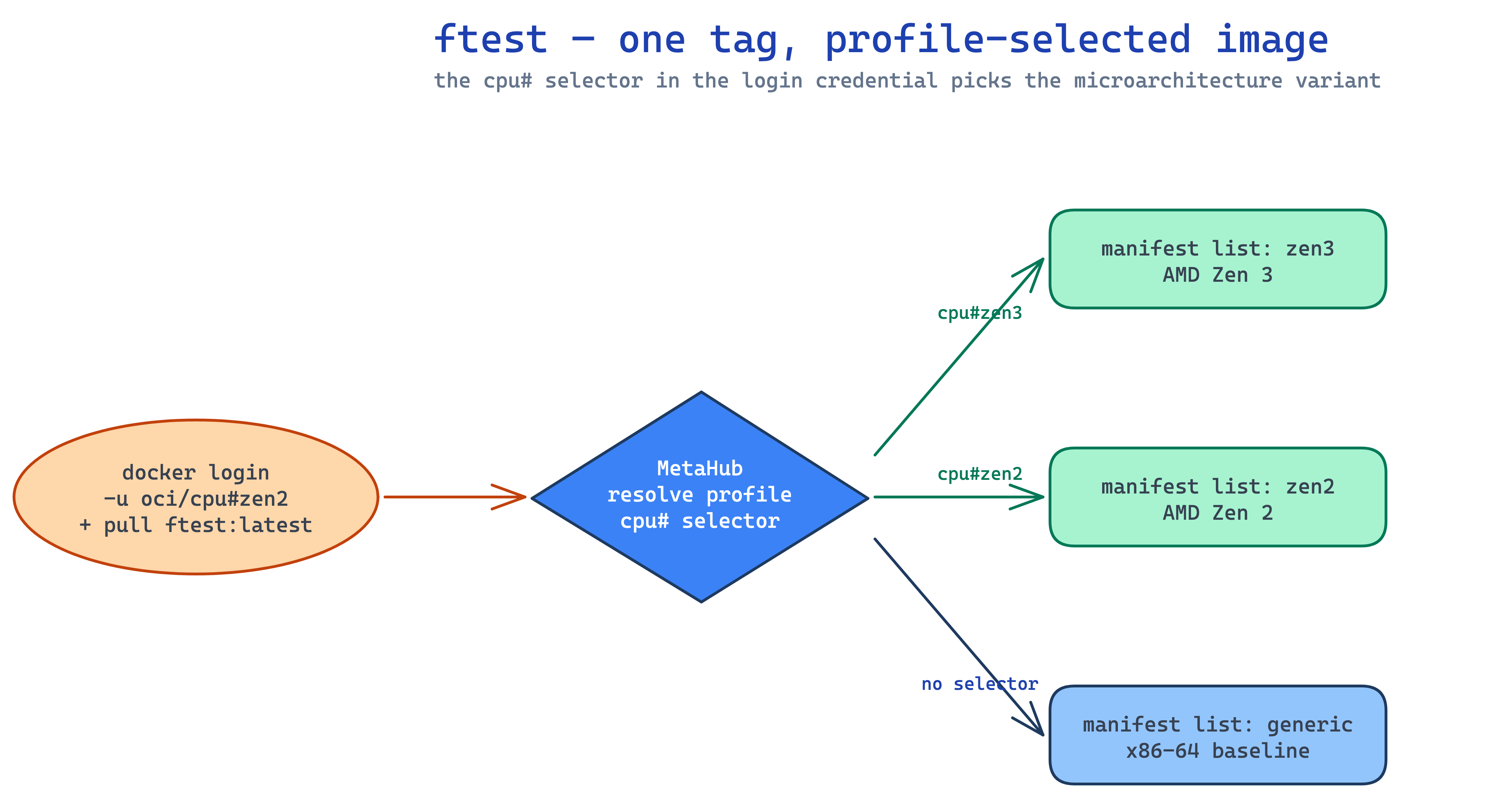
Source: docs/assets/diagrams/ftest-microarch-resolution.excalidraw (edit + re-render to update).