ORAS Artefacts
MetaHub speaks the OCI artefact + referrers API, so you can push arbitrary
artefacts with oras and discover them via the referrers
endpoint.
Push an artefact
# Log in to the MetaHub registry
oras login -u meta -p hub "metahub-registry.org"

# Create a tiny payload
echo "hello world" > artifact.txt

# Push it with a custom artifact type
oras push "metahub-registry.org/hello-artifact:v1" \
  --artifact-type "application/vnd.acme.rocket.config" \
  ./artifact.txt
Verify the stored artifactType:
oras manifest fetch "metahub-registry.org/hello-artifact:v1" --pretty \
  | jq -r .artifactType
# -> application/vnd.acme.rocket.config
Referrers / discovery
Attach a referrer (e.g. a signature or SBOM) to an existing subject and then discover it:
# Attach an artefact that references the subject
oras attach "metahub-registry.org/hello-artifact:v1" \
  --artifact-type "application/vnd.acme.sbom" \
  ./sbom.json

# Discover referrers of the subject
oras discover "metahub-registry.org/hello-artifact:v1" -o tree
In the UI
The ORAS Artefacts view lists each artefact and, on a detail page, shows its artifact type, layers, and referrers.
Diagram
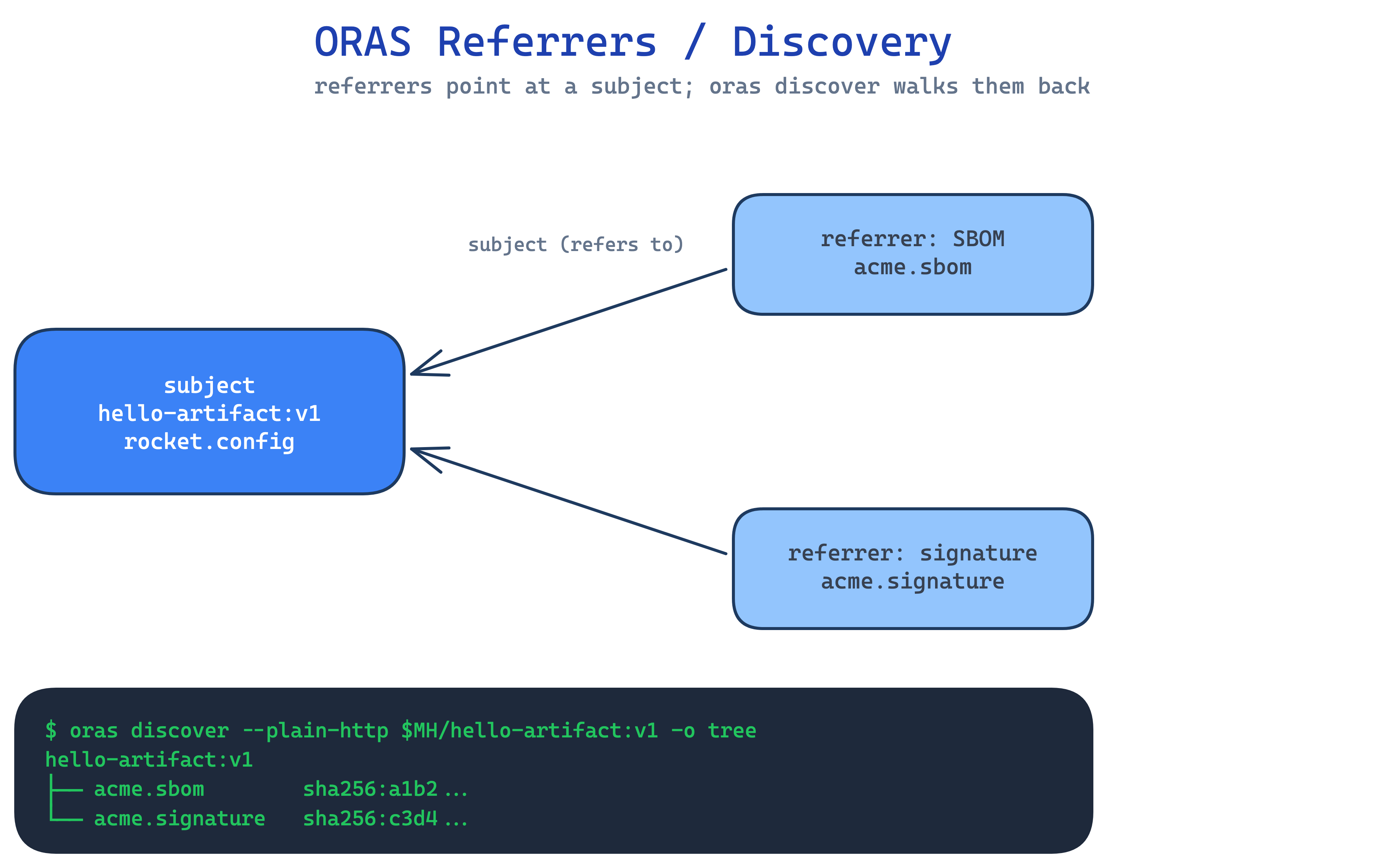
Source: docs/assets/diagrams/oras-referrers.excalidraw (edit + re-render to update).